








Furrion Vision S 4.3 review: compact legacy fit, one-view limit
Research-based Furrion Vision S FOS43TASF review covering legacy prep fit, one-view limits, power troubleshooting and Vision S+ differences.

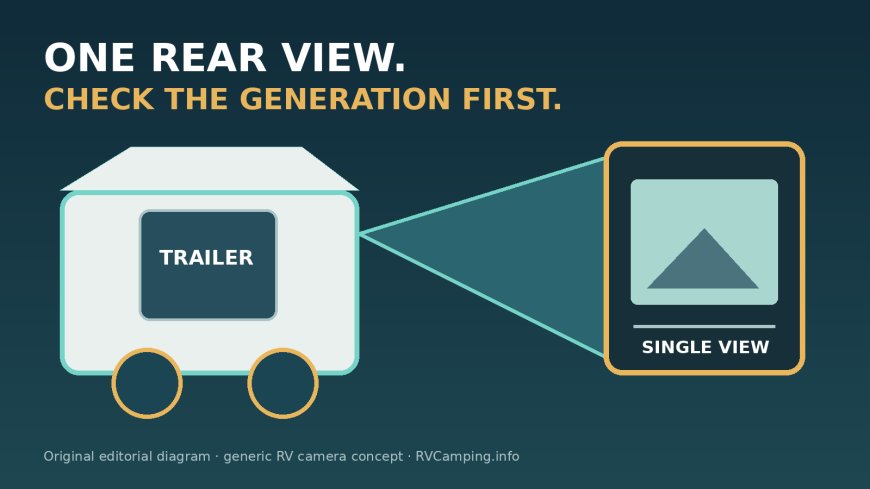
The Furrion Vision S FOS43TASF still makes sense for a narrow group of RV owners: people with an existing legacy Vision S prep bracket who want one compact rear view and can buy the older system at a worthwhile discount.[2][4]
Skip it if you are building a multi-camera setup, want a larger high-resolution display, expect video recording, or are buying parts for the newer Vision S+ platform.[2][5] The 4.3-inch monitor shows one view, has physical buttons and a 480 x 272 display.[2] It is not the four-view touchscreen described in some marketplace copy.[2][3]
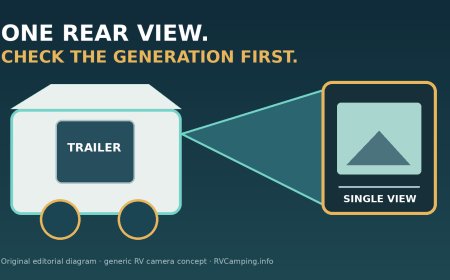
The central tradeoff is compatibility versus capability. The FOS43TASF can turn a matching, powered Vision S prep into a useful rear observation aid with little physical installation work.[2][7] It is also an older, single-view 720 x 480 camera system that Lippert currently lists as out of stock while promoting the separate Vision S+ family.[1][4][5]
This is a research-based review. RVCamping.info did not purchase, install or physically test the Furrion Vision S FOS43TASF. The verdict is based on Furrion and Lippert documentation, the exact Amazon listing identity, and independent installed-use reports.[1][2][7]
As an Amazon Associate, RVCamping.info earns from qualifying purchases. If you buy through an Amazon link in this article, we may earn a commission at no additional cost to you.
Check the Furrion Vision S FOS43TASF listing on Amazon. Confirm ASIN B07D92456Q and model FOS43TASF before ordering.[3]
The exact model reviewed
This article covers the Furrion Vision S 4.3-inch single-camera system, model FOS43TASF and Lippert SKU 2021123914.[2][4] The verified Amazon listing is ASIN B07D92456Q, where the manufacturer part is identified as FOS43TASF.[3]
Model identity matters more than the familiar sharkfin shape. Furrion now sells Vision S+ systems, and the company states that Vision S+ components do not work with Vision 1, Vision 2 or legacy Vision S equipment.[5] A trailer advertised as "Furrion camera ready" therefore needs a closer inspection before anyone assumes this kit will fit. Check the label on the prep cover, the connector, the bracket shape and the product generation.[2][5]
There is a second identity trap inside the product listing. Amazon describes the 4.3-inch kit as supporting up to four views and labels the video as 720p.[3] Furrion's own manual gives the 4.3-inch monitor a maximum of one view and a resolution of 480 x 272; the camera pixel count is 720 x 480.[1][2] The touchscreen and multi-view instructions in the family manual apply to the 5- and 7-inch monitors, not this 4.3-inch unit.[2]
Buy the FOS43TASF for one rear view.[2] Do not buy it expecting a four-camera control center or a 1280 x 720 image.[1][2]
Who should buy it
The strongest case is an RV that already has the matching legacy Vision S sharkfin bracket and a working camera power feed.[2] In that setup, installation may amount to removing the prep cover, connecting the camera and securing it to the bracket, followed by a power and pairing check.[2][7]
It also suits drivers who prefer a small display that can be unplugged and stored rather than a large screen left on the windshield. The included monitor uses physical controls for power, menu navigation, picture settings and parking lines.[2] That simpler interface is a benefit if one rear image is all that is needed.[2]
A rear camera can help with traffic awareness and can give a spotter a one-way audio path to the driver through the camera microphone.[2][7] Travel Trail Sail tested the 4.3-inch Vision S on a travel trailer and reported a strong signal and clear picture in good conditions.[7] The same review found the image somewhat low in resolution, noticed occasional lag and said rain reduced rear visibility.[7] A separate RV.com report found a stable road connection in its installed legacy Vision S system, but that test used a 7-inch four-camera setup rather than this 4.3-inch kit.[8]
That is a fair expectation for this model. It can add information that mirrors cannot show directly behind the trailer, but it is a modest-resolution aid rather than a replacement for mirrors, a spotter or looking in the direction of travel.[2]
Who should skip it
Start with a current platform if the RV has no camera prep and the whole system must be installed from scratch. Vision S+ adds a 1080p camera, 140-degree rear view, SD-card recording, firmware updates and multi-camera display options on current 5- and 7-inch systems.[5] Those components are not an upgrade path for the legacy FOS43TASF because the two families are incompatible.[5]
Skip the 4.3-inch kit if side cameras are part of the plan. Furrion's legacy manual reserves four-view operation for the 5- and 7-inch monitors and lists one maximum view for the 4.3-inch display.[2] A marketplace title that says "supports up to four views" should not override the model-specific table.[2][3]
It is also a poor choice for someone expecting a crisp license-plate camera at highway distance. The official figures are 720 x 480 at the camera and 480 x 272 on the monitor, with a 120-degree rear field of view.[1][2] Wide coverage helps reveal nearby obstacles, but it makes small distant details harder to judge.
Owners of late-model tow vehicles should pause if the trailer camera has already shown intermittent power. Lippert sells a separate Vision S 7-way adapter specifically to bypass restrictive power management on some late-model trucks and SUVs.[6] That is evidence of a real compatibility boundary, not proof that every newer truck needs the adapter.[6] Test the existing power feed before adding parts.
Check the prep before ordering
A prep bracket saves drilling only when the bracket, connector and power circuit match the camera.[2] Use this inspection before buying:
- Remove the exterior prep cover only according to the RV maker's instructions. Look for a Vision S label or part identity rather than relying on the phrase "camera ready."[2][5]
- Compare the bracket and two-pole sharkfin connection with the FOS43TASF manual.[2]
- Inspect the gasket, screw holes and surrounding wall for cracks, loose sealant or water tracks.
- Connect the trailer to the tow vehicle, turn on the circuit that feeds the prep and verify voltage under load. Furrion specifies an 8-to-30-volt operating range for the camera family.[1][2]
- Check whether the camera feed follows the running lights. Furrion suggests using a nearby marker-light circuit for a rear installation, and one independent owner found that the camera stayed off until the tow vehicle lights were on.[2][7]
- Confirm that the monitor's 12-volt outlet remains powered in the intended driving mode and that the windshield location does not block the driver's view or sit in an airbag path.[2]
- Temporarily power and pair the camera before closing the bracket. The manual says bundled cameras should arrive paired, but it also gives a manual pairing procedure.[2]
A dead screen does not immediately mean a bad wireless link. The camera cannot transmit when the trailer prep has no power.[2] Start with the camera LED, tow-vehicle lighting state, 7-way connection, fuse and measured supply voltage before moving the monitor around the cab.[2][6][7]
If the picture appears only when the lights are switched on, that may be the intended wiring rather than a fault.[2][7] Decide whether running-light-controlled operation fits the way you tow.[2][7] A separate always-on or parked-security circuit changes the electrical design and should be handled according to the RV and camera instructions.
What the official specifications mean on an RV
Furrion rates the system for 2.4 GHz wireless communication and about 150 meters, or 492 feet, in an open area.[1][2] The spec sheet prints the range with a less-than sign while the family manual prints a greater-than sign, so the documents conflict on the direction of that limit.[1][2] Treat 150 meters as an open-space laboratory-style reference, not a guaranteed RV range.
The signal in a real tow combination passes around or through a trailer body, cargo and other electrical equipment. Furrion warns that dense objects, appliances and overhead power lines can interfere with reception.[2] The manual also lists a delay of less than 250 milliseconds, while the exact-model field report noticed occasional lag.[1][7] Do not use the screen to make a timing-sensitive maneuver without direct observation.[2]
The rear camera is rated IP65 and has infrared night vision specified for less than 16 feet, or 5 meters.[1] IP65 does not make the lens self-cleaning or suitable for pressure washing. Furrion says heavy fog, rain, dust and mud can block the image, and it warns against automatic car washes and high-pressure water on the camera.[2]
The 120-degree field of view is broad enough to show the lower corners behind many trailers when the camera angle is set well.[1][2] Furrion recommends adjusting the camera so the bottom edge of the RV and the road behind it are visible.[2] That reference helps with orientation, but the manual warns that displayed distance may be misleading and objects can be closer than they appear.[2]
Installation if the RV is not prepped
A non-prepped installation is not just four screws and a wireless pairing step. The manual calls for a high rear center location, a 5/8-inch center hole, a gasket, four fasteners and sealant where the mounting surface is uneven.[2] It specifies a 12-to-24-volt DC circuit, 18 AWG or larger wire, watertight connectors and capacity for another 1 amp on the connected fused circuit.[2]
The roofline work, wall penetration and electrical connection all create ways to cause water damage or a short circuit.[2] Furrion says installation and wiring require specialist skills and advises professional help when the owner is unsure.[2] That advice is worth following on laminated walls, unfamiliar marker-light wiring or any RV still under a body warranty.
Before drilling, verify the hidden structure and the path of existing wiring. After mounting, check that the gasket is evenly compressed, the antenna is secure and vertical, the camera can tilt without contacting the housing, and the image shows the bottom edge of the RV.[2] Reinspect the seal after the first hard rain and during routine roof and wall-seal checks.
Vision S versus Vision S+
The product-generation split changes the value calculation. Legacy Vision S FOS43TASF offers one 720 x 480 rear camera, a 480 x 272 physical-button monitor and one view on screen.[1][2] The current Vision S+ page describes a 1080p rear camera, 140-degree view, recording to an optional SD card, firmware updates and up to four camera views on a 7-inch touchscreen.[5]
Those are separate systems, not old and new parts that can be mixed.[5] If a buyer already owns a functioning legacy camera and needs a replacement monitor, the exact legacy component may still be rational. If the buyer is starting with an empty wall, the current system deserves a comparison before money and installation labor go into the older ecosystem.
Lippert's catalog still identifies FOS43TASF as SKU 2021123914, but it currently marks the kit out of stock.[4] Amazon may still have inventory under ASIN B07D92456Q.[3] Availability through a marketplace does not make it the current generation.[3][4][5] Confirm the seller, return terms and warranty path before opening the RV wall or removing factory prep hardware.
Safe use and troubleshooting
Furrion is unusually direct about the driving boundary: do not back while watching only the monitor, look in the direction of travel, and remain aware of blind spots.[2] The camera is an extra view.[2] Use mirrors and a spotter whenever the site is tight, uneven or occupied by people.
Run a short test before every departure:
- Turn on the tow vehicle and the lighting circuit that powers the camera.[2][7]
- Confirm a stable picture before moving.
- Wipe the lens with a damp soft cloth if the image is dirty; Furrion warns that a dry cloth can scratch it.[2]
- Check that the monitor mount is secure, does not obstruct the windshield and is outside the airbag path.[2]
- Verify the camera angle after storage, service or a branch strike.
- Treat a frozen or delayed image as a failed aid and stop relying on it until the cause is found.
For a no-signal problem, prove camera power first. Then check pairing, the camera antenna, large cargo that may block the path and nearby electrical interference.[2] If the problem appears only with a particular tow vehicle, measure the camera supply under load and investigate the official F2BC004XXBK 7-way adapter rather than assuming the wireless radio is defective.[6]
For a blurry image, clean the lens and light sensor and check for rain, fog, dust or direct glare.[2] No adjustment can restore detail that the 720 x 480 camera never captured.[1] If reading small distant objects is essential, the answer is a newer or higher-resolution system, not more contrast on the 4.3-inch screen.
Verdict
The Furrion Vision S FOS43TASF is still a reasonable purchase for an RV already prepared for legacy Vision S, provided the power feed works and one compact rear view is enough.[2][4] Its value comes from using an existing bracket and wiring with minimal disruption, not from leading-edge display quality.[2][7]
The limits are clear. The 4.3-inch monitor shows one view at 480 x 272, the camera is 720 x 480, the system may depend on the tow vehicle's running-light circuit, and Vision S+ parts will not expand it.[1][2][5]
Buy it when the exact prep, product generation and price all line up. Skip it when the RV needs a new installation, several cameras, recording or a sharper display. Most important, treat the picture as one more source of information, never as permission to stop using mirrors, direct observation and a spotter.[2]
Sources
- Furrion Vision S FOS43TASF specification sheet, revision January 31, 2023
- Furrion Vision S Camera System user manual V5.0, revision March 30, 2023
- Amazon listing: Furrion Vision S FOS43TASF
- Lippert Furrion camera catalog
- Furrion Vision S+ system page
- Furrion Vision S 7-way power adapter
- Travel Trail Sail 4.3-inch Vision S field review
- RV.com Vision S installed-use review
What's Your Reaction?