

Campground cell and Wi-Fi: verify before you book
A practical workflow for checking campground cellular and Wi-Fi claims by exact site, task, carrier, recent reports and a tested backup.
Campground cell and Wi-Fi: verify before you book
By Romana | September 13, 2026 | RV Camping
Quick answer: Treat every coverage map and campground Wi-Fi icon as a lead, not a promise. Check the exact campsite area on the FCC map and your carrier's map, ask the campground where each network works and how its Wi-Fi is delivered, look for recent reports tied to a carrier and site loop, then book only if your backup plan matches the cost of being offline.
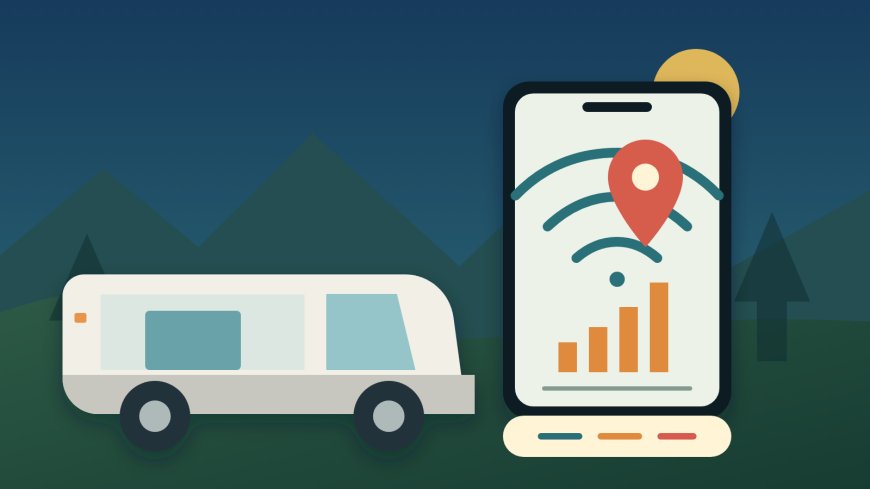
A shaded coverage polygon cannot see the metal walls of your RV, the ridge behind your site or the crowd that returns after dinner. Campground Wi-Fi can have a strong signal and still lack enough capacity for a video call. The useful question is not, "Does this campground have internet?" It is, "Can my equipment complete my specific task at my specific site when I need it?"
Start with the job the connection must do
Write down the minimum acceptable outcome before opening a map. A traveler who only needs text messages has a different booking threshold from someone leading a client meeting. Sort the trip into one of these levels:
- Convenience: weather checks, messages and occasional browsing. An outage is annoying but does not disrupt work or safety plans.
- Scheduled use: a telehealth appointment, online class or video meeting. The connection must work at a known time.
- Operational dependence: a full workday, large uploads, remote monitoring or another task with financial or logistical consequences if service fails.
For scheduled or operational use, define a fallback that is independent of the campground's main connection. That could mean a second carrier, a drive to a verified workspace in town, or a different campground. "Try the Wi-Fi" is not an independent fallback when the cellular backup is unverified.
Also check the terms of the plan you will actually use. A map may show a carrier's network while your plan has different roaming or hotspot limits. Confirm that your phone, hotspot and plan support the network and the amount of tethering the trip requires.
Pin the campsite, not the ZIP code
Begin with an address search, then zoom to the campground's loops and site rows. Large parks can cross a ridge, valley or tree line. A result at the office, entrance or highway does not establish service at a back loop.
The FCC says mobile areas on the National Broadband Map come from provider propagation models. They describe expected connections outdoors or in a moving vehicle and do not show indoor availability. The FCC also warns that actual results can differ because of the device, cell-site capacity and terrain.[1] An RV interior is another reason to avoid reading "covered" as "guaranteed."
Use the FCC map as the comparison layer because it places provider reports under common assumptions. Then open the map from the carrier attached to your actual SIM. Carrier maps may use different assumptions, including roaming, so disagreement between the two maps is useful information rather than an error to smooth over.[1]
At least one carrier states the limitation plainly: Verizon labels its map approximate outdoor coverage, says it is not a guarantee and notes that actual coverage can vary.[3] Read the disclaimer on whichever carrier map you use. A colored campsite is enough reason to keep investigating, not enough reason to promise your boss that the call will work.
Record the result in a small trip note:
- exact campground, loop and site if assigned;
- carrier and plan;
- network layer shown at the pin;
- whether the pin sits near the edge of the shaded area;
- date checked;
- backup location and its hours.
A screenshot is helpful because maps change, but label it with the date and carrier. It documents what informed the booking; it does not turn the prediction into a warranty.
Ask the campground questions it can answer
Call or email the campground. Avoid asking only, "How is the Wi-Fi?" That invites a subjective answer. Use questions tied to place, equipment and time:
- Does guest Wi-Fi reach the campsites, or only the office, lounge or bathhouse?
- Is there a separate access point in my loop? Which loops are closest to one?
- Does the service have a sign-in page, fee, device limit, session limit or stated rule against streaming or work calls?
- Is Wi-Fi delivered by the same upstream connection throughout the property, or are there separate systems?
- Which cellular carriers have staff recently used at my loop or site area?
- Is that report based on calls and texts, or on hotspot data and video calls?
- Are there known weak loops, seasonal foliage problems or busy evening slowdowns?
- If connectivity is essential, can I change sites or cancel after checking service on arrival? What is the written policy?
The staff member does not need to certify a speed. You are trying to learn the network layout and identify mismatches: office-only Wi-Fi advertised as an amenity, a site far from the access point, or a cellular comment based on a different loop.
Ask for factual observations and write down who answered and when. "A guest streamed last summer" is weak evidence. "The office Wi-Fi does not reach Loop C" is directly useful. If the answer is uncertain, mark it uncertain instead of converting friendliness into confidence.
Use recent camper reports without turning them into a vote
Reviews and campground apps can add ground-level evidence, but filter them hard. Keep reports that name the carrier, approximate date and location in the campground. Give more weight to a report that describes the task, such as a hotspot supporting a call, than to "five bars" or "internet was bad."
Recency matters because towers, roaming agreements, foliage and campground equipment change. Device and plan details matter too. One report cannot prove what your setup will do, but several recent, specific reports can expose a pattern worth asking about.
Do not average unlike observations. A phone call on one carrier at the entrance and a laptop speed test on campground Wi-Fi in the clubhouse answer different questions. Put them in separate columns:
| Evidence | Exact place? | Carrier or Wi-Fi named? | Task described? | Recent? | Use |
|---|---|---|---|---|---|
| FCC or carrier map | Pin-level | Yes | Modeled availability | Dated check | Screening |
| Campground response | Loop/site if asked | Sometimes | Often qualitative | Current contact | Layout and policy |
| Camper report | Varies | Varies | Varies | Varies | Corroboration |
| Your test on arrival | Yes | Yes | Yes | Immediate | Decision before setup |
Separate signal, internet access and usable performance
Three checks often get collapsed into one:
- Signal: your device can hear a cellular tower or Wi-Fi access point.
- Internet access: the connection passes traffic after any sign-in page, payment or device registration.
- Usable performance: the connection can sustain your task with acceptable download, upload, delay and stability.
Bars address only the first check, and not with a universal measurement across devices. A Wi-Fi icon can show a strong link to the campground access point while the campground's internet connection is congested or down. Test the task, not the icon.
For cellular testing, disable Wi-Fi so the phone cannot silently send the test over the campground network. The FCC draws the same boundary for a formal map challenge: the app has to collect that challenge measurement over cellular data rather than the local Wi-Fi.[2] The FCC app can also measure a mobile or Wi-Fi connection, but those are different test contexts.[2]
Run more than one ordinary speed test at the place and time that matter, then try the real application. A video call test reveals problems that a single download number may miss. Keep tests short and respect campground rules and your data allowance.
Make the booking decision with a failure budget
Use the consequence of failure to decide how much evidence is enough:
- Low consequence: one favorable map plus a plausible campground report may be sufficient if you can tolerate being offline.
- Moderate consequence: seek agreement among the FCC layer, carrier map and a current place-specific report. Keep a second option ready.
- High consequence: do not make the campsite connection the single point of failure. Require an independent backup you can reach before the commitment begins, or choose a location where connectivity can be tested before the cancellation deadline.
A refundable first night can be worth more than hours spent reading vague reviews. Save the cancellation terms with your reservation and arrive while the office is open. Before leveling the RV, test cellular outside and inside, connect every required device to Wi-Fi, complete the sign-in process, and run the application that matters. Check again during the likely busy period if tomorrow's task is important.
If the result fails, use the plan made before booking: request the better loop, move to the backup location or cancel within the agreed window. The verification process has done its job even when the answer is "do not stay."
A copy-and-send verification note
I am considering site [number/loop] for [dates]. I need [calls/texts/video meetings/uploads] at about [time]. Does guest Wi-Fi reach that site, and is there a nearby access point? Are there device, fee or use limits? Which cellular carriers have recently supported data, not just calls, in that loop? If I test on arrival and it does not work, what site-change or cancellation option applies?
Keep the reply with the map screenshots and reservation terms. None of those items guarantees service. Together, they turn a vague amenity claim into a booking decision with named assumptions, a test and an exit.
Sources
- FCC Broadband Data Collection Help Center: What's on the National Broadband Map — mobile-map methodology, indoor limitation and reasons actual service may vary; live page blocked to automation, evidence retrieved from the July 14, 2025 Wayback snapshot.
- FCC Broadband Data Collection Help Center: How to Use the FCC Mobile Speed Test App to Challenge Mobile Coverage — separates mobile challenge tests from Wi-Fi tests; page updated April 8, 2025, evidence retrieved from the June 30, 2026 Wayback snapshot.
- Verizon: Coverage Map — live carrier-map disclaimer stating that depicted outdoor coverage is approximate and not guaranteed; accessed September 13, 2026.
What's Your Reaction?