





Before you pay: a campground reservation scam check for RV trips
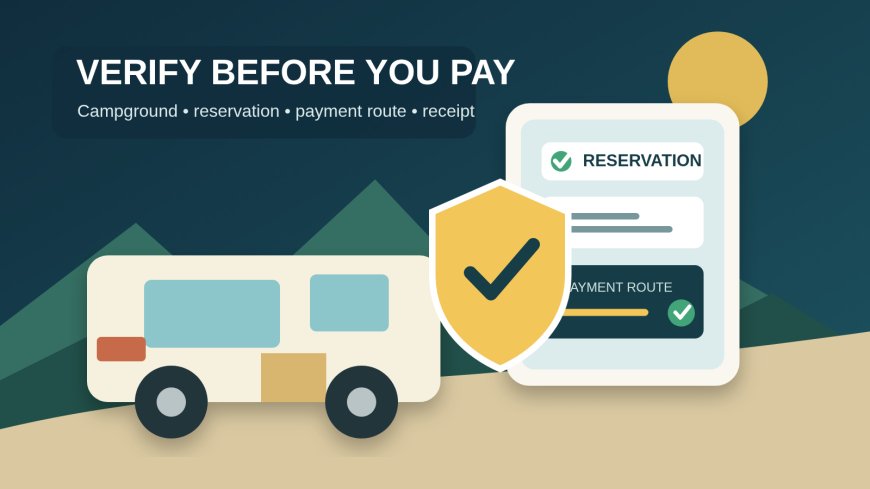
Verify a campground, reservation record and payment request through independent channels before sending money or changing a confirmed RV booking.

Before you pay: a campground reservation scam check for RV trips
By Romana | September 26, 2026
An unexpected message says your campsite will be canceled unless you update a card, pay a deposit, or move the balance to a new payment method. The timing feels plausible. The campground name is right. Your arrival date may even be right.
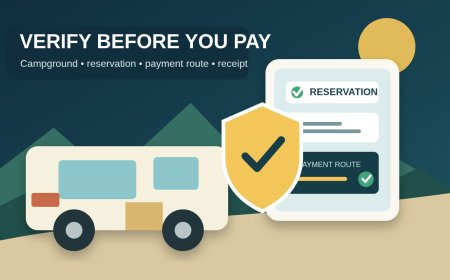
Do not decide whether the message is genuine from the message itself. Pause the payment, leave its links and phone numbers untouched, and verify the request through a contact route you obtained independently. The goal is not to label every odd message a scam. It is to prove who is asking, what reservation they control, and where the payment will be recorded before money moves.
Use two channels, not one conversation
The Federal Trade Commission advises people who receive a suspicious email or text to contact the company through a phone number or website they already know is real, rather than using the contact information in the message.[1] For a campground booking, that creates a simple rule: the channel that asks for money cannot also be the only channel that proves the request is legitimate.
Close the message and start from one of these places:
- the reservation already visible in your account on the official booking service;
- a park-agency page reached by typing its known government domain;
- the campground's website from a prior receipt or your own bookmark;
- a phone number printed on a previous confirmation; or
- a government park directory that links to the authorized reservation system.
Search results and map listings are leads, not proof. A sponsored result, copied listing, or newly created page can look convincing. Confirm that an agency page itself names the booking service or phone number.
California State Parks, for example, identifies ReserveCalifornia.com as its official reservation service and publishes the reservation call center number on its own parks.ca.gov page.[3] That agency page gives a traveler an independent path to the correct system. It does not prove that every message bearing a park logo came from that system.
Build a reservation identity card
Save a small record when you make the original booking. This takes two minutes and removes guesswork later.
| Field | What to save |
|---|---|
| Property identity | Legal or public campground name and street address |
| Authorizing page | The park, agency, or campground page that names the booking service |
| Booking channel | Exact domain or phone number used to reserve |
| Reservation record | Confirmation number, account email, dates, site number and equipment type |
| Payment record | Amount, date, card used and statement descriptor shown by the system |
| Change route | Where the official page says to modify, cancel, or request a refund |
| Arrival contact | A separately verified campground or park office number |
Keep the confirmation as a PDF or screenshot, but also make sure the reservation appears inside the account you used. An email can be copied or spoofed. A record reached by signing in through a known official domain is a separate check.
For federal reservations, Recreation.gov says customers can request refunds through their profile.[2] Its published card descriptor is Recreation.gov 877-444-6777 NM.[2] That descriptor is useful evidence for a Recreation.gov transaction. It should not be generalized to state parks, municipal campgrounds, concessioners, or independent RV parks, which can use different processors and names.
Run the five-point payment test
When a new request arrives, compare it with the saved identity card before replying.
1. Does the reservation exist where it should?
Open the known booking service yourself and sign in. Match the confirmation number, campground, dates, site, guest name, and current balance. If the account shows no cancellation warning or balance change, do not assume the message is false, but do not pay from it. Call the independently verified number and ask staff to explain the mismatch.
For a private campground that does not have an account portal, use the number from your original confirmation or a trusted directory. Ask the person to state enough of the existing reservation to establish that they are looking at the actual record. Do not supply every detail first and then treat those repeated details as proof.
2. Is the sender changing the agreed payment path?
A request deserves extra verification when it introduces a new recipient, domain, phone number, payment account, or deadline. The change may have an innocent explanation, such as a processor migration or corrected balance. It is still a change. Confirm it through the old, independently sourced route.
The FTC notes that phishing messages may claim there is a problem with payment information, include an unfamiliar invoice, or push the recipient toward a payment link.[1] Those are reasons to stop and verify, not evidence that a named campground committed fraud.
3. Does the official record show the same amount and purpose?
Ask for an itemized explanation: campsite balance, tax, reservation fee, pet fee, extra vehicle, deposit, or modification charge. Compare it with the property's posted policy and your original receipt. A real fee can be unexpected; an unexpected fee is not automatically fake.
For comparison, California State Parks publishes its ReserveCalifornia reservation, modification, and cancellation fees on the agency page.[3] A state-specific fee schedule does not establish what another campground may charge. Check the exact operator's current policy.
4. Can you pay inside the verified system?
If the request is legitimate, ask whether the balance can be paid after you sign in through the known reservation site or by calling the published number. Avoid sending card details by email or text. Do not reuse a link merely because a staff member repeats it in the same suspicious thread. Start a fresh session from the verified page.
A demand for gift cards is not a campground payment workaround. The FTC says real businesses and government agencies do not tell people to buy gift cards to pay them.[4] Requests for cryptocurrency, wire transfers, or person-to-person payment apps also warrant a stop and an independent call. Some small businesses legitimately use payment apps, so the payment method alone does not prove fraud. The identity and destination still need independent verification.
5. Will the payment produce a usable record?
Before paying, confirm what will appear in the reservation account and on the receipt. Save the itemized receipt, confirmation number, cancellation terms, name of the person who verified the request, date and time of the call, and the phone number you dialed. Then check that the account balance and reservation status changed as promised.
Treat urgency as a clock to verify, not a clock to pay
A message may say that the campsite will be released in 30 minutes or the rate will increase today. Do not race the sender's countdown. Call the independently verified office and ask:
- Is my reservation at risk?
- What exact deadline is recorded in your system?
- What policy creates that deadline?
- Can I complete the action through my existing account or the published call center?
If the office is closed, preserve the message and the account screen. Do not improvise a payment merely to beat an unverified deadline. The correct next step may be to wait for the office, contact the booking platform, or use an official support route. The answer depends on the exact reservation and operator.
Check an independent RV park without accusing it
Private campgrounds vary widely. Some use a large reservation platform, some use an embedded booking engine, and some take reservations by phone. A simple process avoids both careless payment and an unfair accusation.
First, match the physical property across independent records: street address, office number, website, and any state or local campground listing. Next, call the number you found independently. Ask which company processes online reservations, what descriptor should appear on a card statement, and whether the specific payment request is attached to your confirmation number. Finally, request a receipt issued from the established reservation system.
Do not publish a social-media warning based only on an unfamiliar sender address, awkward wording, or a changed payment page. Preserve the evidence and report the message to the business or agency through a verified contact. A compromised account, staff mistake, processor change, and impersonation attempt can look similar from the customer's inbox.
If you already clicked or paid
Stop further communication through the suspicious channel. Save the message, full sender address, URL, receipt, transaction ID, screenshots, and the time line. Contact the real campground or booking service through its independently verified route and ask whether the reservation exists and whether it received the money.
If you disclosed a password, change it from the real service, use a new and unique password, and review the account's contact and payment information. If you supplied card or bank information, contact the issuer or bank using the number on the card or statement.
For a credit-card billing error, the FTC says consumers should review statements promptly, keep receipts, and send a written dispute to the issuer's billing-inquiry address so it arrives within 60 days after the first bill containing the error was sent.[5] The exact protections and process differ by payment method and situation. Contact the financial institution quickly rather than assuming a card, debit, wire, app, or cash payment can be recovered the same way.
Report suspected phishing to the booking service or campground being impersonated and follow the FTC's reporting guidance.[1] If personal information may have been exposed, use IdentityTheft.gov for a recovery plan.[1]
The night-before booking audit
Run this check while there is still time to reach a staffed office:
- The campground address and arrival date match the confirmation.
- The site fits the RV, trailer, hookups, and length recorded in the booking.
- The reservation appears in the official account, or staff confirmed it using a number obtained independently.
- Every payment is tied to the same reservation number and an itemized receipt.
- Any new fee or changed payment route was verified outside the message that requested it.
- The card statement descriptor is consistent with the exact booking system or operator.
- Cancellation, modification, late-arrival, and no-show rules are saved offline.
- The campground's verified arrival phone number is in the trip file.
The useful standard is not "the message looked real." It is: "I reached the operator through a route I already trusted, matched the request to my reservation record, paid inside the verified system, and received a receipt the operator can see."
Editorial note: This is a verification checklist, not a determination that any particular message, campground, or payment service is fraudulent. Reservation systems and payment practices differ. Verify the exact campground, operator, booking platform, fee, and payment route for your stay. Sources were reviewed September 26, 2026.
Sources
- [1] Federal Trade Commission: How to Recognize and Avoid Phishing Scams (accessed September 26, 2026).
- [2] Recreation.gov: Rules and Reservation Policies (accessed September 26, 2026).
- [3] California State Parks: Booking and Fees (accessed September 26, 2026).
- [4] Federal Trade Commission: Avoiding and Reporting Gift Card Scams (accessed September 26, 2026).
- [5] Federal Trade Commission: Using Credit Cards and Disputing Charges (accessed September 26, 2026).
What's Your Reaction?