










LevelMatePRO+ review: easier solo RV leveling, if you calibrate it well
LevelMatePRO+ can speed solo RV leveling, but calibration and Bluetooth placement decide whether its readings are useful. Research-based review.

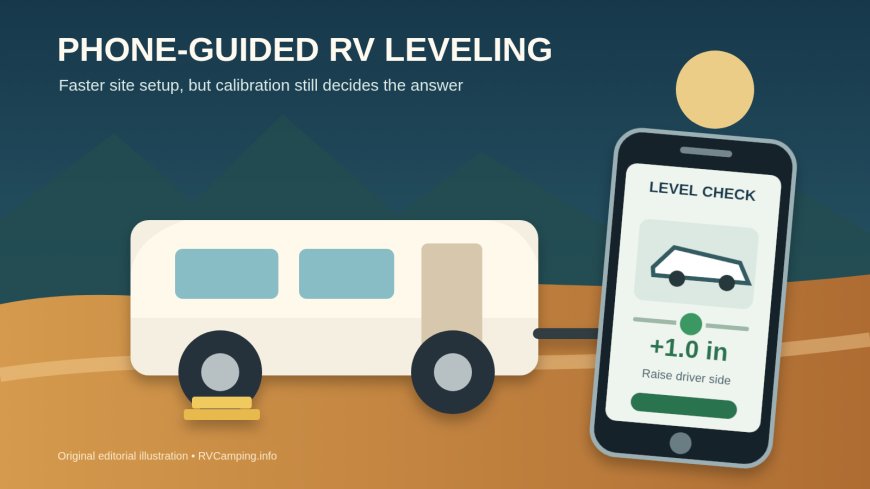
Summary: The LevelMatePRO+ turns RV tilt into a useful answer on your phone: which side or corner to raise, and by how much. It is a strong fit for solo travelers and towable owners who use blocks or ramps. Skip it if a bubble level already gets you parked quickly, you dislike app-dependent gear, or you expect the sensor to level, chock, or stabilize the RV for you.
This is a research-based review. RVCamping.info did not buy, install, or physically test this unit.
The exact product reviewed is the LogicBlue LevelMatePRO+, manufacturer model LMP+001R, sold on Amazon under ASIN B083ZMZPR8. The important tradeoff is simple: it can save repeated trips between the cab and a level, but every reading depends on one careful initial calibration.
As an Amazon Associate, RVCamping.info earns from qualifying purchases. If you buy through an Amazon link in this article, we may earn a commission at no additional cost to you.
Check the LevelMatePRO+ (ASIN B083ZMZPR8) on Amazon.[7]
Verdict
Buy the LevelMatePRO+ if you often level without a spotter, want to evaluate a site before unhitching, or would use the saved hitch-position feature on a travel trailer or fifth wheel. The app converts the sensor's angle into the amount of lift needed at the relevant wheel, side, or corner. LogicBlue lists support for RVs, trailers, and fifth wheels, with iOS and Android apps; the Plus model can run from a replaceable battery or external USB power.[1]
Skip it if you camp only a few times a year and are already happy with a mounted bubble level. It also makes little sense if you want an automatic leveling system. This device only reports; you still need suitable blocks, ramps, or jacks and a safe process.
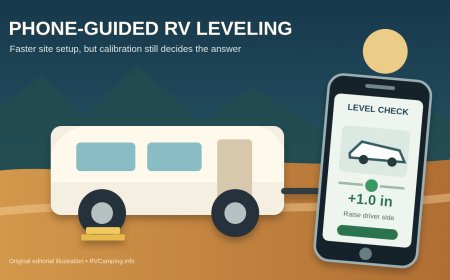
The Plus is most compelling on a towable. Side-to-side leveling happens while the trailer is still hitched, so a live phone display in the tow vehicle can reduce the stop-check-adjust loop. After unhitching, the app guides the tongue jack for front-to-back level and can recall the hitch position later.[2]
The compatibility boundary
The LevelMatePRO+ is a permanently mounted Bluetooth sensor, not a universal phone-only app. It must be installed inside the RV, paired with a phone or tablet, given the rig's dimensions, and calibrated while the RV is already at the level position you want it to remember.[2]
That last point matters more than the feature list. If the floor, bed, or refrigerator is wrong during setup, the device will faithfully guide you back to that wrong reference. An independent owner review makes the same practical point: the time-consuming part is getting the RV properly level before pressing Set Level because later readings rely on that reference.[6]
The current app listings confirm active mobile support, but app-dependent gear carries a longer-term compatibility risk that a bubble level does not. The iOS listing identifies version 2.1.23 from January 10, 2025, while Google Play showed an update on February 3, 2026 when checked for this review.[3][4] Check the current store listing on every phone you plan to use before buying, especially if you keep an older device in the RV.
Apple Watch access is a Plus feature, but it is not a stand-alone replacement for the phone. The manual says the watch must be connected to an iPhone, and the iPhone app must be open and connected to the LevelMatePRO+.[2]
What it does better than a bubble level
A bubble level tells you the direction of tilt. LevelMatePRO+ also estimates the height needed to correct it. That can help you choose a better stopping point before placing blocks and can reduce trial-and-error once the tires are lined up.
For towables, the app separates the job into side-to-side leveling before unhitching and front-to-back adjustment with the tongue jack afterward. Its saved hitch position can then guide the tongue back toward the height recorded during unhitching.[2] That is useful, but it is still an aid. Coupler alignment, wheel chocks, the parking brake, landing gear, and a visual check do not become optional.
One independent long-term RV installation offers a smart placement lesson: the writer mounted the sender near the surface that mattered most, the bed, rather than assuming the cab and living area remain at exactly the same angle as the chassis flexes.[5] That is better reasoning than hiding the box wherever a screw is easiest to drive.
Where the convenience breaks down
### Calibration errors stay with you
The product does not discover an objective definition of level. You teach it a reference. Before mounting, level the RV by a trusted method and check more than one meaningful surface. A comfortable floor and a refrigerator cabinet may not agree perfectly on an older rig. Choose a reference deliberately, record it, and verify the result after calibration.
Recalibrate after moving the sensor, changing its mounting orientation, repairing suspension, or discovering that doors swing and liquids pool despite a green app display. The manual provides a Set Level control for resetting the reference.[2]
### Bluetooth has to work from the driver's seat
Metal framing, storage-bay contents, distance, and mounting location can weaken the connection. LogicBlue's setup wizard includes a Bluetooth signal-strength test for towable installations and tells the user to try a different location before permanent mounting if the signal is weak.[2] Run that test from the actual phone position in the tow vehicle. Do it with compartment doors closed and the usual gear loaded.
### The display can be more precise than your blocks
The manual allows different display resolutions and explains that finer readings can be less stable. Its practical advice is to match the display resolution to the thinnest block or board you carry; front-to-back towable leveling and hitch recall remain at quarter-inch resolution.[2] A phone showing a quarter inch does not create a quarter-inch block.
Soft ground adds another source of error. The manual warns that blocks can sink or end up a little away from the point where the first measurement was taken, which can require a second adjustment.[2] Treat the number as a target, then check the parked rig.
Battery and external power
The included power option is a user-replaceable CR2450 coin cell. The housing must be opened by removing four screws. Sleep and wake-on-motion settings conserve the battery, and the physical switch disconnects it during storage.[2]
The micro-USB port powers the unit; it does not recharge the coin cell. LogicBlue recommends continuous-broadcast mode only with external power and recommends removing the coin cell when external power is used for long periods.[2] An independent reviewer called battery access a drawback and advised keeping a spare CR2450.[6]
Use an existing USB outlet if its location passes the signal test. Do not improvise a cut-cable 12-volt installation just because the manual describes one. The manufacturer warns that direct vehicle wiring can create a short or fire and says that method should be handled by a licensed and insured electrician.[2]
The published warranty lasts one year for the original purchaser and excludes damage caused by improper installation, misuse, excess moisture, or power surges.[8]
Setup that avoids the common mistakes
- Choose the reference surface first. Decide whether the living floor, bed, refrigerator cabinet, or another surface defines acceptable level for your rig. Verify it with a dependable level.
- Temporarily place and pair the sensor. Install the CR2450, switch the unit on, and connect the app before drilling holes.
- Test Bluetooth from the real operating position. Sit where the phone will be used during campsite positioning. Close doors and load the bay normally.
- Enter accurate dimensions. The app uses the RV's width and length to convert angle into required lift. Measure the points shown for your vehicle type rather than using a brochure's overall dimensions.[2]
- Confirm mounting orientation. The app needs to know which direction the label faces. Mount the case securely on a fixed interior surface, not loose in a drawer.
- Set the level reference once the rig is right. Retract or position slides as directed for your chosen reference, step out so body movement does not disturb the reading, then use Set Level.
- Match resolution to your leveling hardware. If the smallest usable change is one inch, a quarter-inch display may encourage pointless corrections.
- Do a controlled trial. Move to a slightly uneven spot, compare the app with a physical level, and practice the sequence before arriving at a tight campsite after dark.
Safe use at a campsite
LevelMatePRO+ does not know the load rating of your blocks, whether the ground is soft, whether a tire has full support, or whether a jack is being side-loaded. Follow the RV, jack, and block manufacturers' limits.
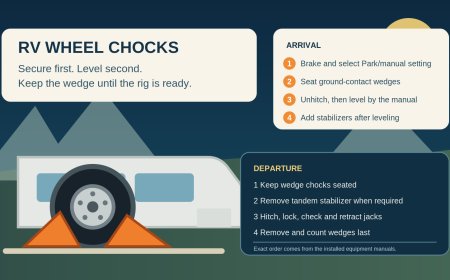
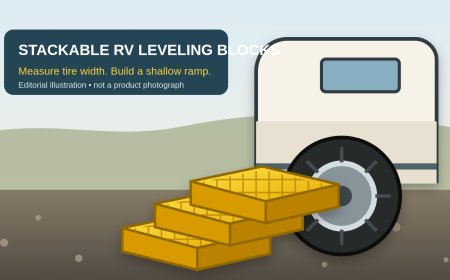
For a towable, level side to side while hitched, set the parking brake, and chock securely before unhitching. Never treat an X-style stabilizer as a substitute for wheel chocks. Our BAL X-Chock review explains that distinction. If stackable blocks fit your tires, our Camco FasTen 21022 review covers platform width, stack height, and block-count planning.
For a motorhome, do not use an app reading as permission to lift a tire when the chassis or leveling-system instructions prohibit it. A displayed correction is geometry, not a safety approval.
LevelMatePRO+ versus simpler options
A fixed bubble level wins on cost, immediacy, and independence from software or batteries. It loses when the indicator cannot be seen from the driver's seat or when you need to translate tilt into block height.
A phone-only leveling app costs little or nothing, but the phone must be placed in the same orientation and location each time. A permanently mounted sensor avoids that repeatability problem. The Fit RV review notes that even a small placement-angle change grows into a meaningful height difference across a long wheelbase.[5]
Automatic hydraulic or electric leveling is a different product class. LevelMatePRO+ can serve as a second opinion, but it does not operate jacks. Owners who already trust a calibrated automatic system may not gain much unless they want a cabin-level check or pre-parking site evaluation.
Bottom line
The LevelMatePRO+ solves a real campsite nuisance: it lets one person see the direction and approximate amount of correction without walking back and forth to a bubble level. Towable owners get the strongest case because the phone can guide side-to-side positioning before unhitching and recall the hitch height at departure.
Its weakness is not the sensor. It is the assumption that a digital number must be right. Mount it where the level matters, calibrate it against a trusted reference, test Bluetooth before drilling, and keep the physical safety checks. Used that way, it is a useful measuring tool rather than an expensive green light.
Sources
- LevelMatePRO+ Wireless Vehicle Leveling System
- LevelMatePRO+ User Manual
- LevelMatePRO on the Apple App Store
- LevelMatePRO on Google Play
- How I Get Our RV Completely Level With the LevelMate Pro+ (archived December 12, 2024)
- LevelMatePRO Review: Wireless RV Leveling System
- Amazon: LogicBlue LevelMatePRO+ Wireless RV Leveling System (ASIN B083ZMZPR8)
- LevelMate one-year warranty
What's Your Reaction?