

CURT Echo 51180 review: portable trailer braking, with phone tradeoffs
The CURT Echo 51180 avoids hardwiring, but it needs an active 7-way, a compatible phone and a plan for manual override.
The CURT Echo 51180 makes sense for an RVer who tows one- or two-axle electric-brake trailers with more than one suitable tow vehicle, or who wants a brake controller without cutting into the dash. Skip it if your tow vehicle lacks an active 7-way RV blade socket, your phone is outside the current app requirements, the controller will sit a long way behind you, or you want a physical manual-override control included in the box.
The tradeoff is simple. Echo is unusually easy to move between compatible vehicles, but the phone is part of the setup and manual-control experience. Normal proportional braking continues at the last saved settings if the phone or Bluetooth link drops; the manual override does not.[1][6]
This is a research-based review. RVCamping.info did not buy, install, or road-test this brake controller.
Quick verdict
Best for: occasional towing, shared tow vehicles, rentals or temporary setups where permanent controller wiring is impractical.
Skip it if: you tow frequently enough to prefer a dedicated dash control, need more than two braked axles, cannot verify 12-volt power at the tow vehicle's 7-way socket, or need dependable phone-free manual trailer-brake activation.
Compatibility boundary: CURT rates model 51180 for one or two axles and describes it as a 7-way RV blade plug-in controller. The tow vehicle needs 12-volt power, ground and turn-signal circuits at that socket; it does not need a brake-output wire.[1][2]
Main compromise: portability replaces permanent wiring, but it puts setup, status and the standard manual-override control on a phone. CURT sells a separate wireless override button, model 51189.[6]
What the 51180 is, and what it is not
Echo plugs into the tow vehicle's 7-way socket, then the trailer's 7-way plug connects to Echo. A three-axis accelerometer meters proportional trailer braking after the tow vehicle's brake signal tells the unit that braking has begun. CURT specifies one or two axles and two to four trailer brakes.[1][6]
It is not a universal cure for every towing-wiring problem. An inactive auxiliary-power pin, weak ground, corroded socket or incompatible phone can stop setup before the trailer moves. CURT's manual also says an existing factory or aftermarket brake controller will not operate while Echo is installed.[2]
The exact current retail identity checked for this review is CURT model 51180, Amazon ASIN B07JQ99SDD.[3]
As an Amazon Associate, RVCamping.info earns from qualifying purchases. If you buy through an Amazon link in this article, we may earn a commission at no additional cost to you.
Check the CURT Echo 51180 on Amazon
The compatibility check to do before ordering
Start at the tow vehicle, not the Amazon listing.
- Confirm the socket. You need the common 7-way RV blade format on the tow vehicle and a matching trailer plug. A flat-four lighting connector is not enough.
- Verify the 12-volt feed and ground. The manual says Echo draws brake power from the 7-way's 12-volt circuit and shares that feed with the trailer. CURT calls for a 30-amp fuse on that connection, while directing owners to the vehicle manual for its location.[2]
- Check vehicle-specific activation. Some tow packages energize the 7-way feed only after tow/haul mode is selected or a trailer load is detected. The current manual singles out Ford F-150 procedures and says some 2015-2017 F-150 wiring may require a battery power wire installed by an authorized installer.[2]
- Count the braked axles. Model 51180 is limited to one or two axles. Owners of triple-axle trailers should choose a controller rated for that brake count.[1]
- Measure the likely phone-to-controller distance. CURT describes up to 50 feet of unobstructed Bluetooth range, then cautions that the phone itself may reduce it.[2][6] That makes a rear-bumper socket on a long motorhome a much less comfortable bet than a pickup receiver a few feet behind the cab.
- Check the app on the phone you will actually use. Do this before buying, because CURT's own pages disagree about minimum operating-system versions.
The app-version conflict deserves attention
The current installation PDF says iOS 14 or later and Android 9.0 or later.[2] CURT's Echo overview instead says iOS 9 or later and Android 14 or later.[6] Those are materially different requirements, especially on Android.
We would not choose between those numbers on the reader's behalf. App requirements can move independently of hardware documentation. Open the OneControl Auto listing on the intended phone, confirm that installation is offered, and check recent app notes before the return window closes. Keep the controller's PIN card and serial number, since the manual says CURT support may need the serial number when pairing fails.[2]
Phone dependence is narrower than it first appears
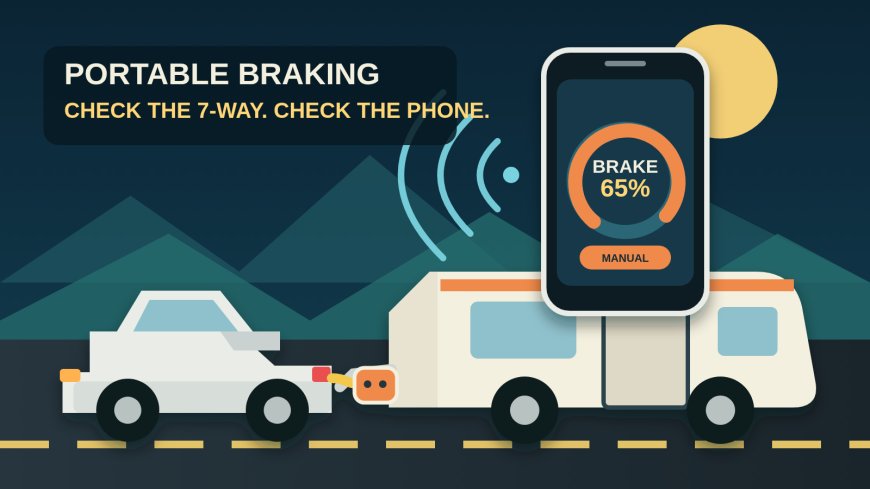
Echo does not stop proportional braking just because a call arrives, the screen locks or Bluetooth disconnects. CURT says the unit continues on its most recently programmed settings.[1][6] That is an important distinction: the phone is not streaming each braking command to the trailer.
The weak spot is manual activation. If the app is unavailable or disconnected, you lose the standard on-screen override. CURT also warns that the app must remain in the foreground for prompt manual-override response. Its optional 51189 button offers a physical control, but it is a separate purchase and still works through the app ecosystem.[2][6]
For many occasional tow setups, that compromise is reasonable. For frequent towing, a permanently mounted controller with a reachable lever or button is easier to operate without thinking about phone state. That is an editorial judgment, not a CURT specification.
What independent road use adds
One RV owner reported using Echo for about 1,600 miles with a fifth-wheel trailer after a truck-side brake-control problem interrupted a trip. The writer found the app stable during that trip and kept the unit as a backup, but preferred a wired controller for frequent towing. The same account described slightly less smooth response than a wired controller and some low-speed jerkiness while tuning sensitivity.[5]
That report is useful, but it is one owner's experience with one rig. It does not prove universal reliability, Bluetooth range or braking quality. It does reinforce two sensible expectations: allow time to tune output and sensitivity, and do not treat plug-and-play installation as permission to skip a controlled test drive.
Setup and inspection sequence
Do the first setup in daylight, on level ground, with enough time to troubleshoot.
- Inspect both 7-way connectors for moisture, dirt, bent contacts, looseness and green corrosion. Correct wiring or ground faults before adding a controller.
- Retrieve the safety strap from Echo's cap, fit it as directed, plug Echo into the vehicle first, then connect the trailer. CURT warns that reversing that order can cause poor calibration and inconsistent braking.[2]
- Start the vehicle or place the ignition in the required on position. Enable the vehicle's tow mode if its manual calls for one. Echo's status light must show that power is present.
- Install OneControl Auto, create the required account, grant the requested Bluetooth and location permissions, then pair inside the app rather than through the phone's Bluetooth settings.[2]
- Let Echo calibrate while the vehicle and trailer are parked level. A red status light is a stop signal: consult the troubleshooting table instead of towing.
- Test running lights, turn signals and brake lights with Echo in the circuit. Confirm that the strap and plugs cannot shake loose and that the controller is well clear of the exhaust.[2]
- Follow CURT's controlled adjustment procedure on dry, level pavement away from traffic. Adjust only while stopped. Repeat tuning after a large load change or meaningful change in road or weather conditions.[2]
A successful Bluetooth pairing is not a brake inspection. Trailer magnets, breakaway equipment, grounds, hubs and adjustment still need to be serviceable.
Who should buy it
Echo 51180 is a strong fit when all of these are true:
- the tow vehicle has a powered 7-way RV blade socket;
- the trailer has one or two braked axles;
- the phone and OneControl Auto app are compatible;
- portability matters more than an always-present dash control;
- the controller will remain within a realistic Bluetooth distance; and
- the owner is willing to inspect, calibrate and test the setup before each trip.
A household that rotates a small travel trailer between two compatible pickups gets more value from Echo's portability than an owner who uses the same truck and trailer every weekend.
Who should skip it
Choose a wired or vehicle-integrated controller if you regularly tow the same trailer, want a manual control that is always in the same physical place, use a very long motorhome, or do not want braking setup tied to app support.
Also skip this model for more than two braked axles. Do not buy it to conceal a dead 12-volt pin, poor ground or damaged trailer wiring. Those faults need diagnosis, not another device in the connector stack.
Bottom line
The CURT Echo 51180 solves a real problem: it adds proportional control to a compatible 7-way towing setup without a permanent dashboard installation. The price of that convenience is phone-dependent setup, an app-based manual override and a 50-foot best-case Bluetooth specification.
Buy it for portability. Skip it if towing is frequent enough that a fixed control would be simpler, or if any part of the 7-way power, phone, axle-count or distance check remains uncertain.
Sources
What's Your Reaction?