











weBoost RV20 review: useful weak-signal help, not satellite internet
Research-based weBoost RV20 review covering weak-signal limits, RV size, supported bands, antenna placement, power and installation safety.

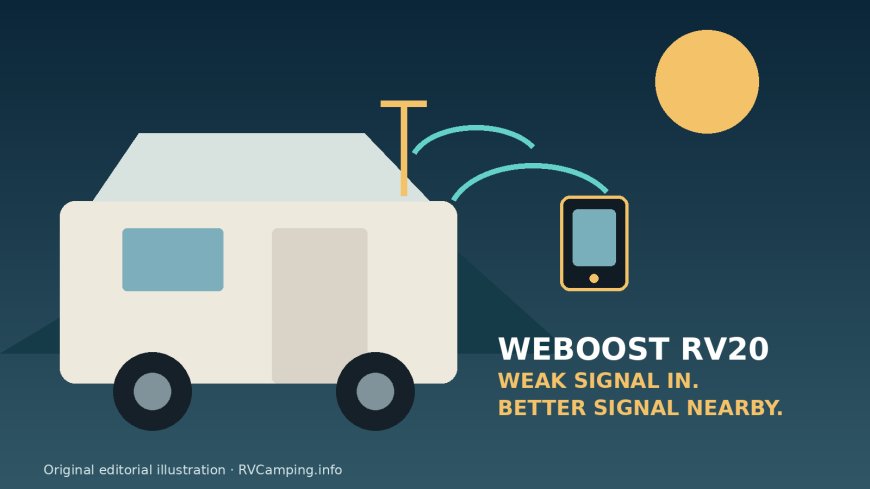
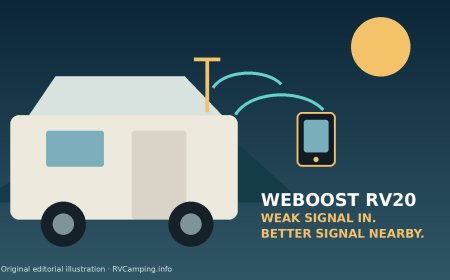
The weBoost RV20 makes sense for campers with a small RV, a usable but weak cellular signal outside, and phones or hotspots that struggle inside.[1] It can improve the connection for several devices while parked or moving.[4] It cannot create service in a dead zone, add unsupported cellular bands, or replace Starlink or another satellite service.[1]
The important fit boundary is rig length and indoor range. weBoost positions model 474061 for RVs and towables under about 25 feet and directs larger rigs toward the RV35 or RV50.[1] Independent testing of the Drive Reach family estimates the useful zone around the inside antenna at roughly 6 inches to 4 feet, so "multi-user" does not mean strong boosted coverage in every corner of a motorhome.[4]
Buy it if you can mount the outside antenna high and away from the inside antenna, route a 25-foot cable safely, and place the inside antenna near the devices that matter.[2] Skip it if your campsites usually have no carrier signal at all, your rig is too large for a short indoor coverage zone, or you expect every flavor of 5G to be boosted.[1]
This is a research-based review. RVCamping.info did not purchase, install, use, or physically test this booster.
Exact model and Amazon listing
This review covers the current weBoost RV20, formerly sold as the Drive Reach RV II, model 474061.[1] The name changed; the model number is the cleanest identity check.[5] The matched Amazon listing is ASIN B0DC7Q4XW1 and identifies model 474061.[3]
The package combines the Drive Reach amplifier, an outside RV antenna and folding mount, a 25-foot cable, an inside mini-panel antenna, AC power, and a 12-volt hardwire option.[1] Do not confuse it with the retired Drive Reach RV kit, model 470354, or the vehicle and overland kits that use different antenna, cable, or mounting packages.[5]
As an Amazon Associate, RVCamping.info earns from qualifying purchases. If you buy through an Amazon link in this article, we may earn a commission at no additional cost to you.
Check the weBoost RV20 on Amazon
Confirm 474061 and B0DC7Q4XW1 before ordering. Marketplace titles may still say Drive Reach RV II while current manufacturer copy says RV20.[1][3]
Verdict: good at rescuing weak service, poor at covering a whole RV
The RV20 is a strong candidate when the phone works outside or near a window but becomes unreliable inside.[4] Its outside antenna collects supported cellular signals, the booster amplifies them, and the inside antenna rebroadcasts them near your devices.[2] That can help a phone hold a call or a hotspot maintain a data session when metal skin, insulation, or marginal distance from a tower is the problem.[1]
It is not a source of connectivity.[1] No signal in means no useful signal out.[1] Congested towers can also remain slow after the radio link improves.[1] A booster changes the link budget; it does not buy priority from the carrier, open a full tower, or correct an outage.
The central tradeoff is transmitter reach versus indoor coverage. Mobile boosters are allowed a maximum gain of 50 dB with an inside antenna under the applicable federal rule, and the RV20 is rated at 50 dB.[1][6] Independent testing found the Drive Reach amplifier powerful enough to earn a Top Pick, especially for uplink performance, but lists a practical inside range of only 6 inches to 4 feet.[4] The phone, tablet, or hotspot often needs to live close to the mini-panel antenna.
That arrangement is workable in a van, truck camper, or short trailer.[4] In a longer coach, a single inside antenna near the dinette may do little for a bedroom at the other end.[4] weBoost's current under-about-25-foot positioning is therefore a useful shopping boundary, not merely a marketing label.[1]
What "5G compatible" means here
The RV20 supports cellular bands 12/17, 13, 5, 4, and 25/2. Its published frequencies are in the 700, 850, 1700/2100, and 1900 MHz ranges.[1][2] Many carriers use those bands for LTE and some low-band or spectrum-shared 5G service.
That does not make the RV20 a universal 5G repeater.[2] Its published specification does not list newer mid-band or millimeter-wave frequencies.[2] Your phone may continue to display 5G because the boosted connection uses a supported band, but the badge alone does not tell you which frequency is carrying the traffic.[1]
Check the bands your carrier uses at the places you camp.[1] If your useful service depends on an unsupported band, this kit will not amplify it.[2] The safer expectation is improved supported 4G LTE and low-band 5G where a weak signal already exists.[1]
The installation decides whether it works
A booster can reduce its own gain or shut down a problem band if the outside and inside antennas feed back into each other.[2] The official guide therefore treats separation and placement as performance requirements, not finishing details.[2]
Plan the entire cable path before drilling anything:
- Choose the outside antenna position. Mount it above the RV's horizontal plane and above nearby roof gear. A rear location can use more of the cable to increase separation from the inside antenna.[2]
- Check travel clearance. The folding mount operates with the antenna upright at 90 degrees and can fold for storage. Confirm clearance from air conditioners, awnings, solar panels, branches, and the edge swept by a slide topper.[1][2]
- Choose the inside antenna position. Put the mini-panel near the phones or hotspot, not wherever the cable happens to end. Its short practical coverage area makes this choice critical.[4]
- Keep the booster ventilated. The guide calls for an accessible location with good airflow. Do not bury it under clothing or place it where water can reach the connectors.[2]
- Route without crushing the coax. Protect it from sharp metal, hinges, slide mechanisms, heat, and repeated flexing. Avoid tight bends and unnecessary coils.
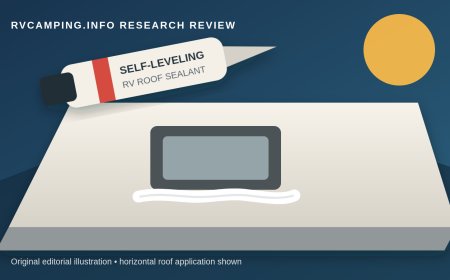
- Seal roof work correctly. The manual says roof holes, fastener heads, cable entry points, and the cable-entry cover require roof-compatible sealant.[2] Match the sealant to the roof membrane and follow the RV maker's repair instructions.
The included bracket can mount to a ladder or pole, a fixed roof location, or a T-track. The guide notes that some T-tracks need a compatible channel nut rather than the included hardware.[2] A mount that feels solid in the driveway still needs a travel check. Fold the antenna when clearance demands it and inspect the bracket after the first trip.
Use the supplied antennas and cables. Federal rules require consumer boosters to be operated with manufacturer-specified components, and the installation guide lists the approved antenna configurations.[2][6] Swapping in a random high-gain antenna or coax run can create interference or put the system outside its authorization.
Power choices and the hardwire boundary
The booster is rated for 12 volts at 1.8 amps.[2] The kit includes an AC adapter and a hardwire power supply, which makes it practical at hookups or on a 12-volt system.[5]
The AC route is simple if a receptacle is nearby and the cord cannot become a trip or pinch hazard.[2] Hardwiring removes the wall adapter and can support in-motion use without an inverter, but it is real RV electrical work.[2] The guide calls for a suitable circuit, an inline fuse, secure connections, and a proper ground; it also tells owners who are not comfortable with the work to use a qualified RV technician.[2]
Do not tap an unknown wire because it is convenient.[2] Confirm circuit capacity, polarity, fuse size, disconnect procedure, and cable protection against the RV's documentation.[2] Turn off the 12-volt system before making connections.[2] After power is restored, verify the booster lights and inspect the connection for heat.
The RV20's draw is modest, but its rated 1.8-amp demand is not free when boondocking.[1][2] Switch it off when nobody needs cellular service, especially during long battery-only stays.[2]
A better way to test it
Phone bars are coarse and can lag. Test with repeatable measurements instead.
- Park in one location and keep the phone or hotspot in one position.
- Record signal strength and run several calls or speed tests with the booster off.
- Turn it on, wait for the phone to reconnect, and repeat near the inside antenna.
- Move the device one, two, and four feet away to map the useful zone.
- Repeat on each carrier you expect to use.
- Watch the booster lights for overload or oscillation indications and follow the guide's troubleshooting steps.[2]
One fast speed test proves little.[4] Tower load changes by the minute.[4] Look for fewer failed calls, more stable upload, and repeatable improvement across several tests.[4] Upload stability matters for video meetings, sending photos, and hotspot use in weak-signal country.
If the booster performs worse when everything is connected, increase antenna separation, inspect connectors, and check the light pattern.[2] Do not assume more mast height is always the answer.[2] Raising the outside antenna may improve reception, but placement that increases feedback can make the booster reduce gain.[2]
Registration and operating rules
Before use in the United States, register the booster with your wireless provider and obtain the provider's consent. Federal rules require both, and providers that consent must offer a free registration mechanism.[6]
Registration normally asks for the owner or operator, booster make and model, serial number, location, and initial operating date.[6] Travelers should follow their provider's instructions for mobile boosters rather than inventing a fixed campground address.
Stop using the booster if the FCC or a licensed provider directs you to do so.[2][6] Also power it down if it repeatedly indicates oscillation or overload until the antenna placement and installation have been corrected. The system automatically manages gain, but automatic protection is not permission to ignore a bad setup.[2]
Current name, older reviews, and package changes
Older articles often call this product the Drive Reach RV II. Current manufacturer pages call model 474061 the RV20.[1] That naming shift can make the Amazon listing look outdated even when the model and ASIN match.
The RV II package replaced an earlier model 470354 kit. The newer package kept the Drive Reach amplifier but changed important RV-specific pieces: a single 25-foot outside-antenna cable, a mini-panel inside antenna, a folding mount, a cable-entry cover, and a hardwire power option.[4][5] Reviews of amplifier performance remain informative, but installation comments about the retired kit's desktop antenna, separate RG-6 extension, or missing 12-volt wiring may not describe model 474061.
This is why model number matters more than a familiar product photo. Check the carton, amplifier label, antenna kit, power supplies, and manual before drilling the roof.
Who should buy the RV20
Choose it for a van, truck camper, small motorhome, or short towable when you routinely camp in places with weak but detectable service.[1] It is especially useful when one phone or hotspot can stay close to the inside antenna and share the improved connection over Wi-Fi.[4]
It also fits travelers who need a mobile system.[4] The Drive Reach family supports in-motion use, and the RV20 includes RV mounting and power options rather than requiring a temporary tabletop setup.[2]
Who should skip it
Skip the RV20 if your usual destinations are true dead zones.[1] Use a satellite connection or plan for offline maps and communication instead.[1] Skip it if you need whole-coach coverage in a large motorhome; compare the current RV35 and RV50 rather than assuming a 50 dB number means equal coverage everywhere.[4]
It is also a poor fit for renters who cannot route cables or mount an outside antenna, owners who cannot maintain antenna separation, and anyone expecting a booster to cure carrier congestion.[1][2] If your phone already has strong signal outside and inside, a booster may add little.[1]
Bottom line
The weBoost RV20, model 474061, is a focused tool. It can turn weak supported cellular service into a more usable connection near the inside antenna, and the Drive Reach amplifier has credible independent performance evidence.[4] Its limits are just as important: it needs an existing signal, supports a defined set of bands, covers a small indoor zone, and depends heavily on antenna placement.
For a sub-25-foot RV with a carefully chosen device station, that is a reasonable trade. For a long coach, a dead-zone campsite, or an expectation of universal 5G, it is the wrong system.
Sources
- weBoost RV20 product page
- weBoost Drive Reach RV II installation guide
- Amazon listing: weBoost RV20 / Drive Reach RV II, ASIN B0DC7Q4XW1
- Mobile Internet Resource Center: weBoost Drive Reach testing and RV II specifications
- Mobile Internet Resource Center: Drive Reach RV II generation changes
- 47 CFR 20.21: Signal boosters
What's Your Reaction?