











Campground Cancellation Rules: What to Save Before You Pay
Campground cancellation and no-show policies use different clocks, fees and contact methods. Save a small evidence packet before paying so you know the deadline, amount at risk and late-arrival rescue procedure.

Campground Cancellation Rules: What to Save Before You Pay
By Romana
Published: September 9, 2026
Category: Tips and Trends
Summary: Campground cancellation and no-show policies can turn on different clocks, fees and contact methods. Save a small evidence packet before paying so you know the last useful cancellation time, the amount at risk and how to keep a late arrival from becoming a no-show.
A campsite marked "refundable" does not tell you what you need to know. It may mean the nightly charge is refundable while the booking fee is not. A late cancellation might cost one night, every remaining night, a deposit or a per-night penalty. Miss the arrival cutoff and the operator may release the rest of the stay.
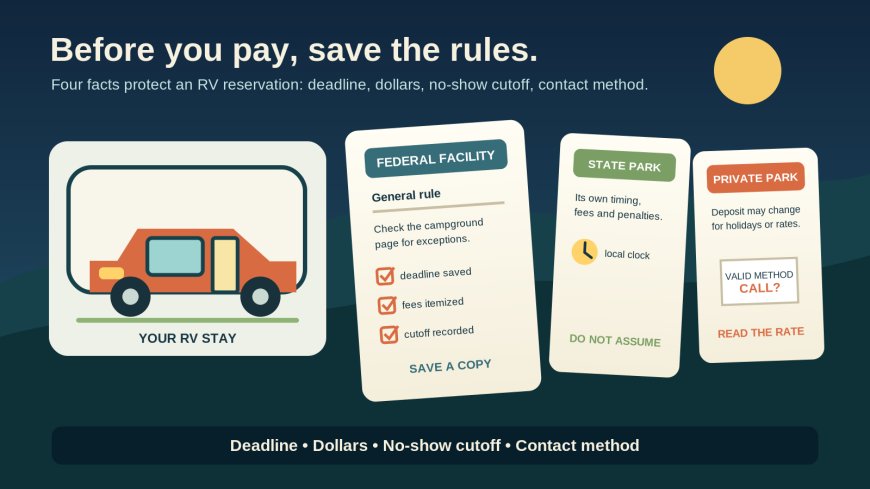
The practical move is to record the rule that applies to your exact site before the card charge goes through. Save the policy page, the facility exception, the checkout total and the confirmation. Then convert the prose into four entries: cancellation deadline, money at risk, no-show cutoff and accepted contact method.
Source credit: This comparison uses the official reservation policies published by Recreation.gov, California State Parks, Texas Parks and Wildlife Department, and Kampgrounds of America (KOA). Those pages supply examples, not a universal rule. The checklist and "reservation evidence packet" below are RVCamping.info's planning method for applying the terms to a specific RV stay.
The three systems do not allocate risk the same way
Recreation.gov is a federal reservation platform, not one uniform campground operator. Its standard page says facility-specific terms override the platform-wide policy.[1] That one sentence changes how you should shop: the general policy is a baseline, while the individual campground page is part of the contract you are evaluating.
State parks publish rules for their own systems, and one state's clock says little about another's. California's policy for covered reservations with arrival dates on or after July 1, 2026 uses a seven-day threshold for refunding site fees, a two-to-six-day band that costs the first night, and a no-refund window inside two days.[2] Texas takes a different approach for individual campsites: canceling at least five days before arrival generally carries a $10 penalty, while a later cancellation is assessed at $10 per canceled night, capped at $50.[3]
A private campground or franchise system may frame the risk around a deposit instead of unused nightly fees. KOA's national guideline requires RV- and tent-site guests seeking a deposit refund to call by 4 p.m. seven days before arrival; the refund is reduced by a $20 administrative fee.[4] KOA also says holiday and special-event terms may differ, so the selected campground's terms still need a second look.[4]
Here is the useful comparison:
| Booking channel | What the general rule tells you | What can override or change it | Main pre-payment risk |
|---|---|---|---|
| Recreation.gov | A standard fee and timing framework for many federal facilities | The individual facility page | Saving only the platform rule and missing a local exception |
| State-park system | One agency's refund bands, penalties and no-show definition | Product type, arrival date, park notices and later policy revisions | Assuming another state's rule works here |
| Private campground or chain | Brand guidance or the property's posted terms | Franchise, rate plan, holiday, event or long-stay conditions | Confusing "deposit forfeited" with the total dollar amount at stake |
Do not rank these systems by the smallest headline cancellation fee. Compare what you would lose on the date you are realistically likely to cancel. A $10 fee plus one night can exceed a $20 administrative fee. A full-stay special-event deposit can make the word "deposit" much more expensive than it sounds.
Build a reservation evidence packet
Take the following six snapshots or downloads before selecting Pay:
- The exact campsite or rate page. Include campground name, site type, dates, nightly rate and any label such as nonrefundable, holiday or weekly rate.
- The governing cancellation text. Capture the section that states deadlines, fees, forfeitures and refund exclusions. Include the URL and the visible retrieval date.
- Any facility-specific exception. On Recreation.gov, this means the individual facility page as well as the general rules because the local page controls when the two conflict.[1]
- The checkout screen. Preserve the itemized site charge, reservation or transaction fee, taxes, add-ons, deposit and total charged today.
- The no-show and late-arrival instructions. Save the cutoff and the phone number that can keep the remaining nights from being released.
- The confirmation after purchase. Keep the reservation number, charged amount, site identifier, dates and any policy language included in the email or account record.
A screenshot is useful because web pages change, but it should not be a mystery image in a camera roll. Rename it with the campground, arrival date and subject, such as cedar-loop-2026-10-14-cancellation-rule.png. Save the policy URL in the same trip note. If you later need help, the URL lets the operator identify its page while the dated capture shows what you saw at checkout.
For a costly stay, print the relevant page to PDF. Make sure the PDF includes the page header or URL; a cropped paragraph without a property name is weak evidence.
Translate the policy into four clocks
Reservation prose gets easier once you turn it into a short record:
- Refund clock: the last date and local time that preserves the largest refundable amount.
- Late-cancellation clock: the point when an extra night, deposit or per-night penalty begins.
- No-show clock: the moment the operator can mark you absent and release later nights.
- Contact clock: the hours and communication channel the operator accepts for cancellation or late arrival.
Time zones belong in the note. "Seven days before arrival at 4 p.m." is incomplete if you live in Nevada and the campground is in Tennessee. Record the campground's local zone and make a calendar reminder that displays correctly while you travel.
California illustrates why the defined start time matters. Its current policy treats noon on the arrival date as the reservation start for calculating refund bands, even though that may not be the campground's check-in time.[2] Record the policy's calculation time, not the check-in time you happen to remember.
KOA's national guideline adds a channel trap: it directs guests to call and says text and email cancellation notices are not accepted.[4] Sending an email before the deadline may create a timestamp without creating a valid cancellation. Your evidence packet should state both the number to call and the hours when someone can process the request.
Calculate dollars, not labels
Make a small cancellation exposure table while the checkout total is still visible. Use your actual charges, not a sample price from a help page.
| If plans change... | Record this amount |
|---|---|
| Before the first deadline | Nonrefundable booking fee plus stated cancellation charge |
| In the late window | Above amount plus lost night(s), deposit or per-night penalty |
| After arrival begins | Amount withheld for unused nights and early-departure terms |
| If marked no-show | Total forfeiture plus whether later nights are canceled |
Keep taxes and add-ons separate until the policy tells you how they are treated. "First night's fee" may not answer whether a pet fee, extra vehicle charge, lock fee or tax is refundable.
This exercise also exposes the difference between canceling and doing nothing. Recreation.gov's standard rule for an individual campsite canceled the day before or on arrival is a $10 service charge plus the first night's use fee, subject to the total paid.[1] Its standard no-show rule instead assesses a $20 service fee plus the first night's recreation fee.[1] The exact facility can supersede those terms, but under the general framework a valid late cancellation and a no-show are not financially identical.
Texas provides another clear contrast. Its individual-campsite schedule caps the late-cancellation penalty at $50, while a no-show forfeits all amounts paid other than entrance fees.[3] Calling even after the most favorable refund window has closed may still preserve money and the rest of the itinerary.
Record the no-show rescue procedure
For an RVer, a late arrival is not automatically a no-show. It becomes dangerous when no one tells the campground before its cutoff.
Recreation.gov's standard definition holds an overnight site until the facility's checkout time on the day after scheduled arrival.[1] Texas says it will cancel the balance if the guest has not checked in by noon the next day, and advises late travelers to call the park or customer service.[3] California also uses noon the next day, but its consequences now go beyond the lost stay: three no-shows in one calendar year can trigger a 365-day restriction on making reservations through ReserveCalifornia's website and contact center.[2]
Put these fields in the trip note:
- latest check-in time before no-show status;
- number to call during office hours;
- after-hours arrival procedure and gate access;
- name or employee number of the person reached;
- time of call and what they confirmed;
- whether the full remaining stay will be held.
If a breakdown, wildfire detour or closed pass delays you, call before focusing on refund arguments. First protect the remaining nights. Then save the call log and ask for written confirmation in the app or by email if the operator can provide it. Do not assume a voicemail, text, social-media message or email counts unless the posted policy accepts that method.
Recheck when the reservation changes
A date change, shorter stay or site swap can move the reservation under a different fee schedule. Recreation.gov says a reservation changed to dates entirely outside the original stay has a change fee under its general terms, while shortening a stay can be treated differently.[1] Texas applies penalties when nights are removed close to arrival and notes that changed reservations may use new rates.[3]
After any modification, repeat the evidence packet:
- save the new confirmation;
- capture the policy shown during the change;
- recalculate each cancellation window;
- verify which earlier payments remain nonrefundable;
- confirm that the no-show cutoff and arrival instructions still match the new date.
Do the same if the campground sends a policy-update email. Do not overwrite the original files. Keeping both versions shows what changed and when you accepted a revised reservation.
The 60-second check before Pay
Pause at checkout and fill in this note:
Campground / site:
Stay dates and campground time zone:
Amount charged now:
Always nonrefundable:
Cancel by [date, time, zone] to lose only:
Cancel after that and before [date, time, zone] to lose:
No-show at [date, time, zone] causes:
Valid cancellation method:
Late-arrival phone and office hours:
Facility-specific or special-event exception:
Policy URL and capture filename:
If you cannot complete one of the money or timing lines, the booking screen has not given you a usable answer. Open the facility page or call before paying. For a nonrefundable rate, write the entire amount in the risk line rather than relying on the label.
The best cancellation policy is not necessarily the most generous one. It is the one you can reconstruct later without guessing which clock, fee or exception applied. Five minutes of recordkeeping before payment can be worth far more than a long refund dispute from the shoulder of the road.
Sources
What's Your Reaction?